अगर आप इंटरनेट यूजर हैं तो आपने अपने दोस्तों के 3D मॉडल जरूर देखे होंगे। पर अब वह ट्रेंड पुराने हो चला है — नया फैशन है 3D मॉडल का वीडियो बनाना। यह न सिर्फ देखने में ज़्यादा शानदार दिखता है बल्कि बनाना भी बहुत आसान है। चलिए बारी-बारी से पूरी प्रक्रिया समझते हैं ताकि आप भी अपना nano banana ai 3d figurine और उसका वीडियो बना सकें।
क्या है 3D मॉडल ट्रेंड?
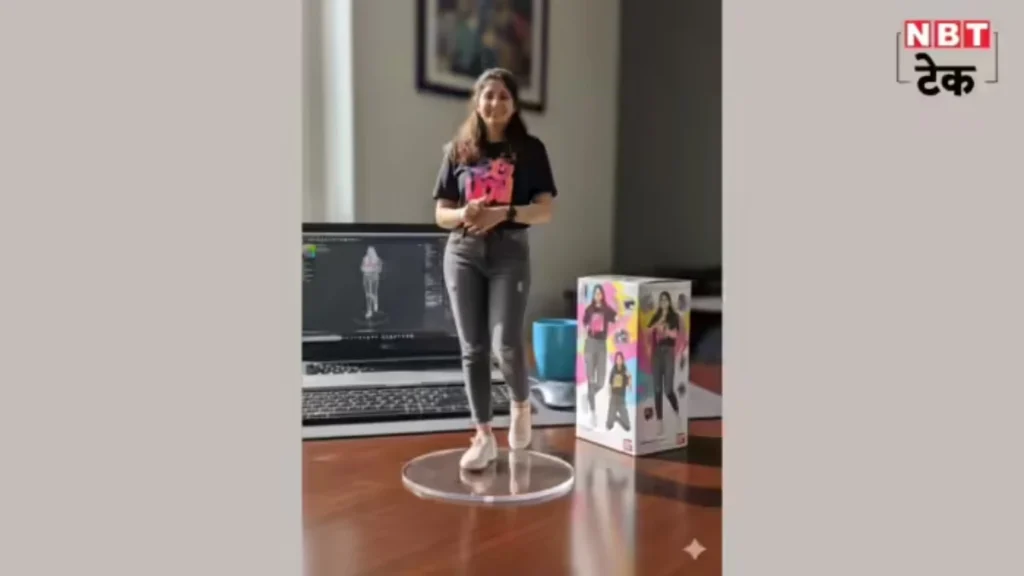
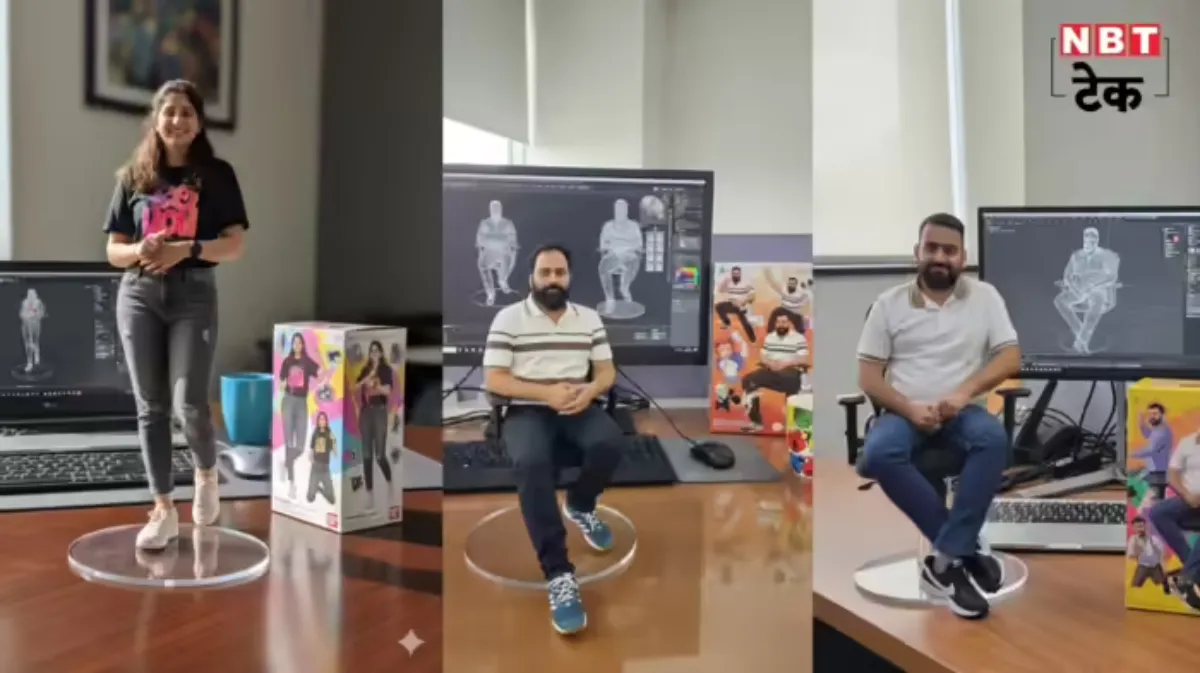
पहले कुछ दिनों में लोग AI से गिब्लि-स्टाइल इमेज बनवा रहे थे, फिर 3D मॉडल ट्रेंड आया — जिसमें AI आपकी तस्वीर से एक रियल-लुकिंग एक्शन-फिगर जैसा 3D मॉडल बनाता है। अब लोग इन स्टिल इमेजों से आगे बढ़कर एनीमेटेड वीडियो बना रहे हैं, जो सोशल मीडिया पर बहुत वायरल हो रहे हैं। और हाँ — यह फ्री में भी बनाया और डाउनलोड किया जा सकता है।
3D इमेज (figurine) कैसे बनाएं — स्टेप बाय स्टेप
- अपने ब्राउज़र में Google AI Studio खोलें।
- Try Gemini पर क्लिक करें और अपने Google अकाउंट से लॉग-इन करें।
- उपलब्ध विकल्पों में से Nano Banana (Gemini 2.25 Flash Image) चुनें।
- सभी Terms & Conditions स्वीकार कर लें।
- Run + बटन पर क्लिक करें।
- नीचे वाले प्लस आइकन से अपनी फोटो अपलोड करें और प्रॉम्प्ट दें।
आप प्रॉम्प्ट में नीचे जैसा टेक्स्ट दे सकते हैं (या इसे अपनी ज़रूरत के हिसाब से एडिट कर लें):
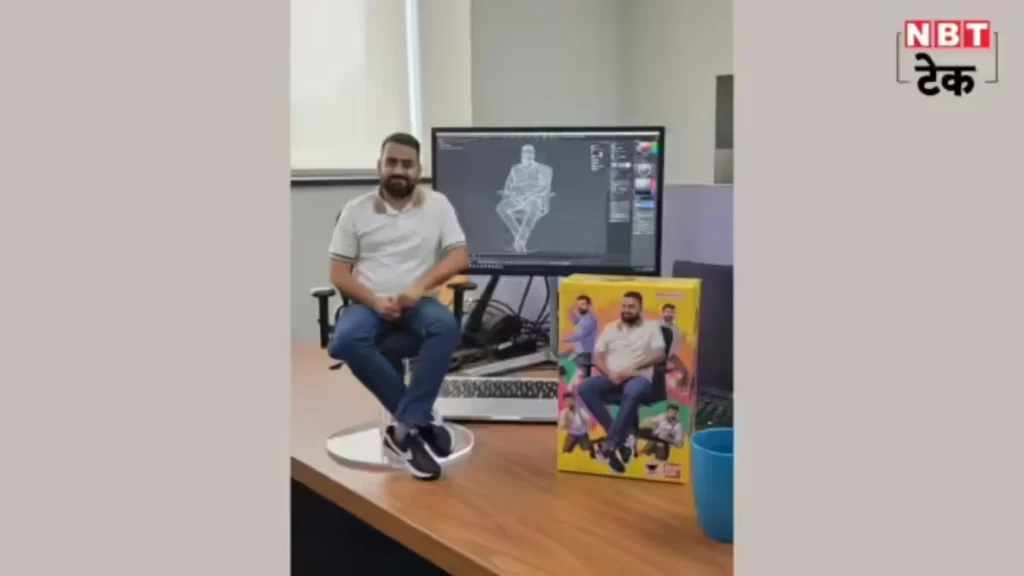
“Create a highly detailed 1/7 scale figurine of the characters from the provided picture, crafted in a realistic style, and displayed in a real-world environment. The figurine is posed dynamically on a round, transparent acrylic base with no text, placed on a sleek, modern computer desk made of wood with a glossy finish. The desk is organised, featuring a laptop, keyboard, and a few colourful accessories like a coffee mug. The computer screen prominently displays the ZBrush modeling process of the figurine, showcasing intricate sculpting details, wireframes, and texture maps in progress. Next to the monitor, a BANDAI-style toy packaging box stands upright, featuring vibrant, two-dimensional flat illustrations of the characters in dynamic poses, with the original artwork faithfully reproduced. The scene is well-lit with natural light streaming through a nearby window, casting soft shadows and emphasising the figurine’s realistic textures and fine details.”
- Run पर क्लिक करें और कुछ सेकंड रुकें — आपकी 3D इमेज स्क्रीन पर आ जाएगी।
- फोटो डाउनलोड कर लें और शेयर करें।
अब इमेज से VIDEO बनाइए
- फिर से Google AI Studio खोलें। बाईं तरफ के मेन्यू में Generate Media चुनें और Veo को सिलेक्ट करें।
- अपने बनाए हुए 3D मॉडल/figurine इमेज को अटैच करें।
- प्रॉम्प्ट टाइप करें जैसे:
"Give the figurine a subtle, realistic body motion"- या
"Animate the figurine in a charging pose"
- Run दबाएं — आपका वीडियो बनकर तैयार हो जाएगा।
- डाउनलोड करें और जहां चाहें शेयर कर दें।
अब आप तैयार हैं — सिर्फ कुछ क्लिक में अपनी 3D स्टिल इमेज को दमदार वीडियो में बदल दें और सोशल मीडिया पर धमाल मचा दें!